Microsoft's Windows troubleshooting page, updated February 12, 2026, documents a past Windows 10 incident in which an update reliability tool removed third-party USB drivers from the INF cache. AWS separately ties a 30-day Plug and Play Cleanup scan to Windows Server 2012 R2 images released before September 10, 2014, not to all current Windows PCs.
The documents establish that cleanup mechanisms have caused failures in narrow conditions. They do not support a universal rule that Windows 10 or Windows 11 deletes any device driver after 30 idle days, and they do not establish that ordinary inactivity caused a missing graphics driver.
What the documented cleanup cases establish
Microsoft's case involved a Windows 10 Long-Term Servicing Branch application that depended on custom or third-party USB drivers remaining in the INF cache. Process Monitor showed the update reliability tool launching pnpclean.dll with /DEVICES /DRIVERS /MAXCLEAN, after which the application could no longer find those drivers. Microsoft says the tool's applicability rules were improved and version 10.0.14393.10020 or later should not cause the documented issue.
AWS says Plug and Play Cleanup scanned for inactive system devices every 30 days and mistakenly removed the EC2 network device on Windows Server 2012 R2 Amazon Machine Images released before September 10, 2014. AWS says the problem occurred only with images made available before September 2014 and recommends a driver upgrade or its remediation script for those affected instances. This is evidence about an old server image, not a timing rule for present-day consumer laptops and desktops.
Idle maintenance is not the same as driver cleanup
Microsoft's Automatic Maintenance compatibility page says maintenance tasks can run at scheduled times or while a PC is idle and can pause when the user resumes activity. The page lists Windows 8 and Windows Server 2012 as its platforms. It does not identify a 30-day driver-deletion policy for Windows 10 or Windows 11.
Timing alone cannot show why a device entry changed. Record the Windows edition and build, recent updates, exact hardware model and any Device Manager status code before uninstalling anything. APPI News's Windows 11 memory guide separates process, cache, kernel and driver allocations before software changes are made, because a high memory percentage is a separate symptom rather than evidence that a driver was removed.
Check the device and package separately
Open Device Manager and look under the relevant hardware category. Microsoft's Windows 10 and 11 procedure directs users to select View > Show hidden devices before uninstalling a device or package. If an entry is present, record its name, status and driver details; a hidden entry alone does not prove cleanup deleted its package.
Microsoft's driver inventory guidance uses PnPUtil to enumerate third-party packages and identify packages with no devices attached. An elevated Command Prompt can run pnputil /enum-drivers for an initial list. Inventory is diagnostic; it is not a reason to delete every package that appears unused.
Microsoft distinguishes uninstalling a device from deleting its driver package: uninstalling removes the device-driver association but leaves the package in the Driver Store, where Plug and Play can use it again if the device is detected. Deleting the package removes it as an installation source, and Microsoft says a later reinstall then requires the original source, such as Windows Update. Manually deleting files inside the Driver Store can produce unpredictable behavior.
Reinstall before considering package deletion
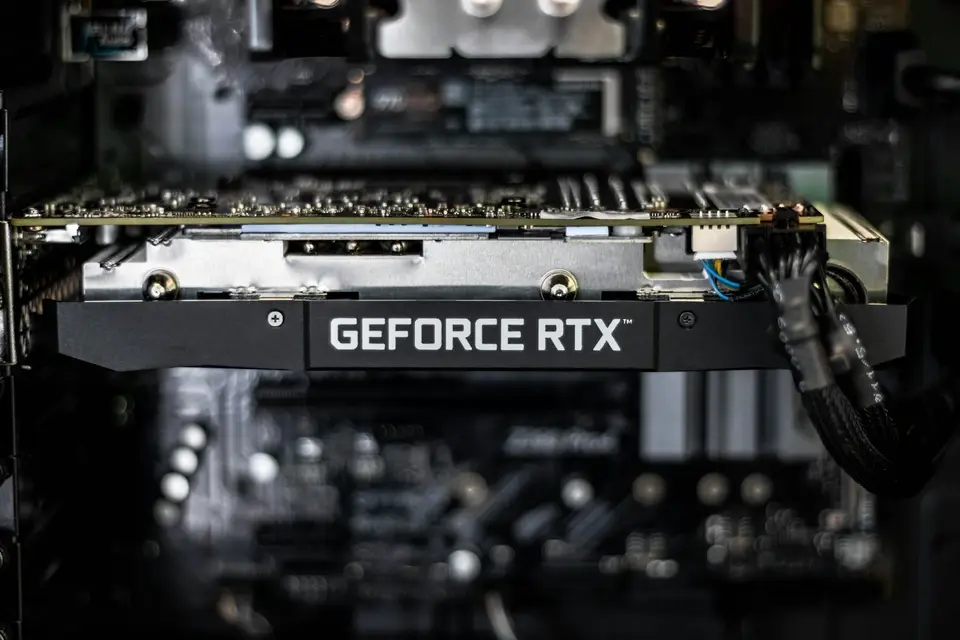
Identify the exact device before choosing a package. A listing of Microsoft Basic Display Adapter means Windows is using its built-in generic driver instead of a manufacturer-specific driver. Microsoft recommends checking Windows Update first and then the display-adapter manufacturer's official site if Windows Update has no suitable package.
Save work and use the supported reinstall path. Microsoft tells Windows 10 and 11 users to uninstall the selected device in Device Manager, restart, and let Windows attempt to reinstall the driver. If that attempt fails, the same page directs users to Windows Update or a compatible driver downloaded from the hardware manufacturer's official site.
Match the device, operating system and architecture. Microsoft says a manually downloaded package must match the Windows version and architecture, and it warns against driver sites that are not operated by the manufacturer. Organization-managed computers may also have controlled packages and policies, so their administrators should handle the change.
Stop after service is restored. A working manufacturer driver and normal Device Manager status remove the need for package deletion. If the device still fails, record the status code and use the computer or hardware manufacturer's support channel rather than deleting unknown INF files.
Do not copy cleanup or registry commands
The Microsoft USB incident records pnpclean.dll /DEVICES /DRIVERS /MAXCLEAN as a command launched by an update tool; it does not present that command as a general maintenance procedure for users. Running it manually would invoke the documented cleanup routine without establishing which packages are safe to remove.
APPI News could not verify in current Microsoft documentation that changing the Device Driver Packages Autorun registry value to 0 is a supported general remedy for current Windows 10 or Windows 11 systems. The registry change is therefore omitted from this guide. Microsoft instead says to verify that a package is not needed, test removal on a noncritical PC, keep backups and establish a restore point before deleting a package.
Frequently asked questions
Does Windows delete every unused driver after 30 days?
No. AWS documents that interval only for old Windows Server 2012 R2 EC2 images, and the cited Microsoft sources do not establish it as a general Windows 10 or Windows 11 policy.
Does Microsoft Basic Display Adapter prove that cleanup ran?
No. It shows that Windows is using a generic driver because a manufacturer-specific driver is not available or installed; it does not identify why that driver is missing.
Can PnPUtil delete a suspected package?
Yes, but Microsoft says the package must first be identified and checked against the devices that use it. Removing an essential package can cause instability or data loss, so deletion is not a diagnostic first step.
Should the Device Driver Packages Autorun value be set to 0?
APPI News could not verify that change as a current, general Microsoft recommendation for Windows 10 or Windows 11. This guide does not recommend the registry edit.
Sources and further reading
- USB device drivers are removed unexpectedly after Windows 10 is updated(Microsoft Learn)Microsoft's account of a Windows 10 update reliability tool removing custom or third-party USB drivers from the INF cache, plus the corrected applicability rules.
- Troubleshoot PV drivers on Windows instances(Amazon Web Services)The 30-day Plug and Play Cleanup case limited to Windows Server 2012 R2 EC2 images released before September 10, 2014.
- Automatic Maintenance(Microsoft Learn)A compatibility document describing idle and scheduled maintenance on Windows 8 and Windows Server 2012, without establishing a current driver-deletion interval.
- Microsoft Basic Display Adapter in Windows(Microsoft Support)Microsoft's explanation that the generic display driver appears when a manufacturer-specific driver is unavailable or not installed.
- Using Device Manager to uninstall devices and driver packages(Microsoft Learn)Windows 10 and 11 instructions for showing hidden devices, uninstalling a device and handling a driver package safely.
- Create an inventory of installed driver packages(Microsoft Learn)Microsoft's PnPUtil inventory guidance and warnings to verify a package, test changes, keep backups and create a restore point before removal.
- How devices and driver packages are uninstalled(Microsoft Learn)The distinction between uninstalling a device and deleting its package from the Driver Store, including how a removed package must be obtained again.
- Update drivers through Device Manager in Windows(Microsoft Support)Official Windows 10 and 11 steps for reinstalling a driver and obtaining a compatible package through Windows Update or the manufacturer's site.