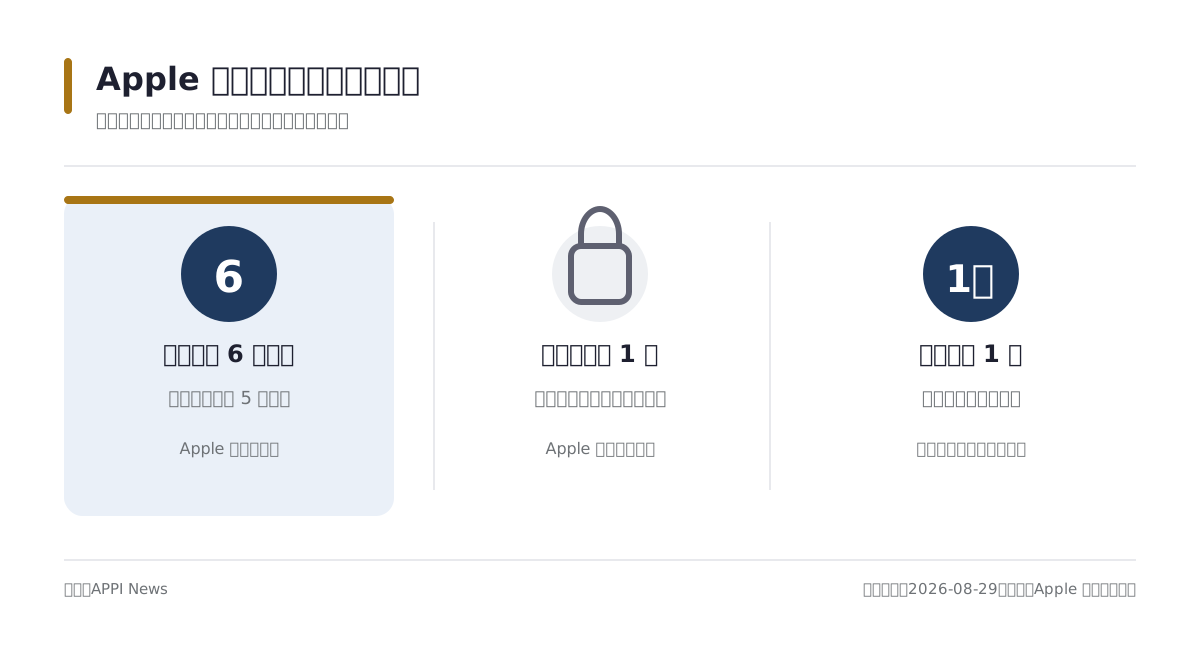
Apple's July 1, 2026 setup guide caps Family Sharing at one adult organizer and up to five other members. Each person uses a separate Apple Account, while the group carries eligible subscriptions, purchases and family controls across their devices.
The account rules are separate from the rules for a particular service. An account can join only one Family Sharing group at a time and switch to a different group once per year, while purchase sharing adds a same-country-or-region condition.
APPI News found no shared-residential-address test in the Apple documents cited in this guide. That differs from YouTube's published family-plan rule, which requires members to share the manager's residential address and undergo a 30-day electronic check.

The cap is six accounts, and each account gets one group
The organizer counts toward the six-account cap. Apple says members retain their own Apple Accounts, preferences and private experiences while gaining access to eligible group subscriptions and content.
The organizer creates the group, sends invitations and controls shared features. Any adult member can be designated as a parent or guardian to help manage child accounts, parental controls and Ask to Buy requests.
Apple says an account can belong to only one Family Sharing group at a time and can switch to a different group once per year. The public page does not define when that annual window resets, so a planned move should be checked against the eligibility shown for the account before the current group is left.
A departure creates an open place in the old group, but it does not erase the departing account's switch history. The group cap and the account-level switching restriction are separate controls.
Subscriptions and purchases follow different switches
Apple lists Apple One Family and Premier, Apple Music family subscriptions, Apple Arcade, Apple Fitness+, Apple News+, Apple Podcasts Subscriptions, Apple TV, Apple TV channels and iCloud+ as shareable services. Family Sharing can also cover eligible music, movies, television programs, books, apps, subscriptions and in-app purchases.
Eligibility is not universal. Apple says individual Apple Music and Apple One plans, student subscriptions, consumable in-app purchases and items from nonparticipating apps cannot be shared, while developers decide whether an app or in-app product supports the feature.
Apple's subscription guide says eligible subscriptions can remain shared even when Purchase Sharing is turned off. Members keep separate recommendations and personal content, and a non-Apple subscription appears only if its developer has made it eligible.
That distinction allows a group to share a qualifying Apple Music, Apple One or iCloud+ plan without also exposing each member's eligible App Store and media purchases to the group. It also means that joining the group does not convert an individual or student subscription into a family plan.

Shared iCloud+ storage does not merge personal files
Apple says one iCloud+ subscription can be shared with five other family members, with each person retaining private photos, messages, files and documents. Members share the plan's storage capacity and features, and the person supplying the plan does not have to be the family organizer.
A member already paying for iCloud+ can keep that personal plan while remaining in the family group, or switch to the shared plan. Apple says the remaining portion of the personal plan is refunded after a switch, and the member cannot use the personal and shared plans at the same time.
Purchase Sharing can place charges on the organizer
Purchase Sharing opens the group's eligible App Store, music, book and video purchases. Apple says the family organizer pays unless Purchase Sharing is off or another adult member uses a valid personal payment method.
An Apple Account balance is applied first. If the balance is insufficient and Purchase Sharing is active, Apple says the remainder can be charged to the organizer; purchases by a child or teen without enough store credit can also reach the organizer's payment method.
The organizer can update the shared payment method, inspect purchase history and enable Ask to Buy for children. Turning off Purchase Sharing stops access to other members' eligible purchases but does not disband the group or automatically end shareable subscriptions.
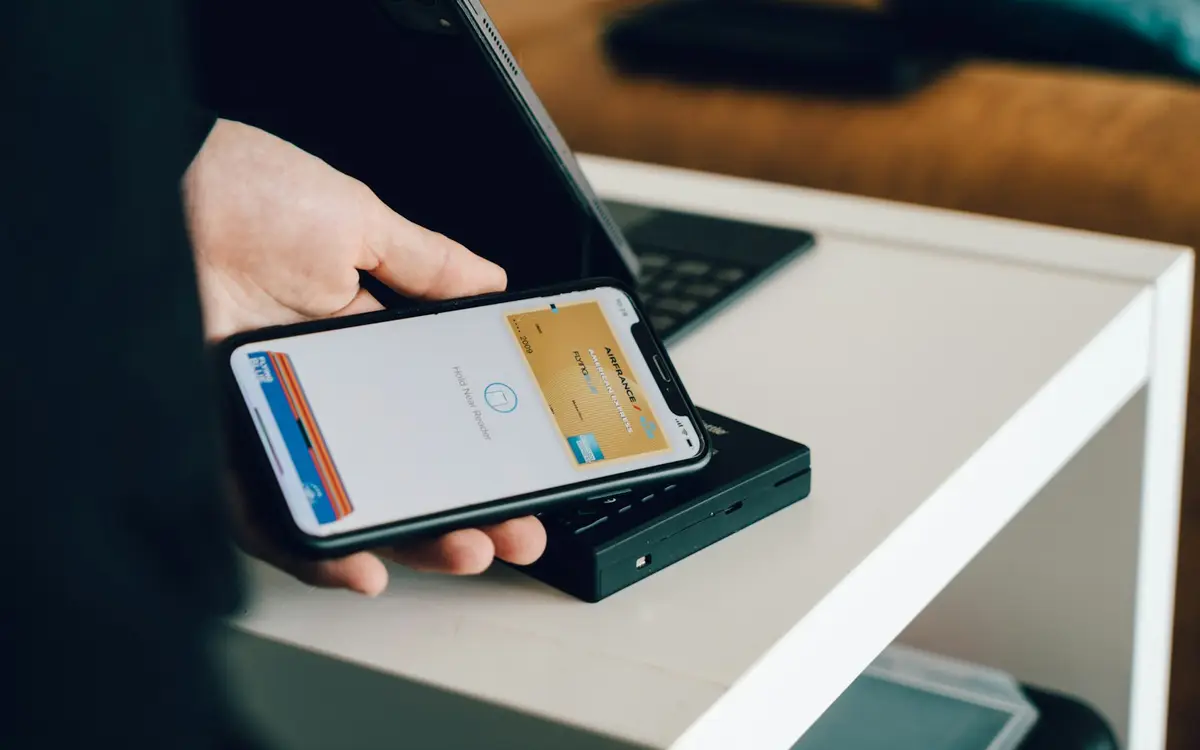
This billing control is distinct from the card-security process used at checkout. Apple Pay replaces a card number with a device credential for a payment, while Family Sharing determines which account receives content and which family payment method may be charged.
Purchase sharing requires one account country or region
Apple's Music user guide says every member must be in the same country or region to share purchases, based on the billing address associated with each Apple Account. The condition concerns account and store settings rather than a member's location on a particular day.
The cited Apple pages do not publish a rule requiring every member to occupy one residential address. They do say that apps, content and subscriptions are not available in every market, so one family group does not make every service available worldwide.
If a member moves to another country or region and updates the Apple Account, Apple says access to other members' purchases may stop and shared apps already installed may cease to work. Apple's region-change process requires the account holder to spend the remaining balance, resolve blocking subscriptions and pending transactions, and may require a valid payment method and billing address for the new region.
Membership in a Family Sharing group can also block a region change. The account holder may need to leave first, but that action should be weighed against the annual group-switch limit and the subscriptions or purchases that will disappear.
Apple tells members who cannot see shared content to confirm that Family Sharing and Media & Purchases use the intended Apple Account, that Purchase Sharing is active, and that the item itself is eligible. A country or billing-address mismatch is a separate check from those account and content settings.

How this plays out outside Taiwan
Family Sharing is not a single worldwide catalogue. The group rule travels with the Apple Account, but the services that can be bought, subscribed to or shared depend on the account's country or region. That matters when relatives live in different markets, when a student moves for a semester, or when a household pays for a service advertised on one country's Apple storefront and expects it to appear for everyone.
Apple's current availability table gives a practical way to check the difference. In Australia, the table lists Apple Music, Apple One, Apple News+, Apple Fitness+, Apple Arcade, Apple TV subscriptions, film and TV purchases, and book and audiobook purchases. The same table lists a narrower set for Singapore: Apple Music, Apple One under a special availability note, Apple Fitness+, Apple Arcade, Apple TV subscriptions, film purchases and public-domain books. A Singapore account therefore should not be treated as if it has the Australian catalogue simply because both accounts can join Family Sharing.
The note attached to Singapore's Apple One entry is especially important at the time of writing. Apple says Apple One remains available there only for people who subscribed before September 14, 2026, and that canceling the existing subscription removes the ability to resubscribe. That is a country-specific availability rule, not a Family Sharing limit. A Singapore organizer considering a group change should check the subscription's status before leaving a group or changing the account region, because a replacement plan may not be available through the same storefront.
The United States shows why price questions also need a named market. Apple's US Apple One page currently lists the Family plan at US$27.95 per month and the Premier plan at US$39.95 per month, with the Family and Premier tiers inviting up to five other people. Those prices are not a universal conversion table for families elsewhere. The relevant storefront, taxes, payment method and available services determine what a person actually sees, so an organizer in the United States should compare the price shown in the Apple Account subscription screen with the public offer before promising a fixed split to other members.
The country setting also affects moves between markets. Apple's country-change instructions say an account holder must spend remaining balance, cancel subscriptions that block the change, wait for pending transactions to clear, and enter a payment method and billing address for the new country or region. Apple also warns that some content may not be available after the move and that a person in a Family Sharing group might not be able to change regions until leaving it. This is relevant to a UK account moving to Australia, a US account moving to Singapore, or any cross-border household that uses purchase sharing: changing the storefront can affect both eligibility and the content already obtained through another member.
For a household in any of these markets, the reliable local check is the account screen, not a friend's invoice or a plan name seen on another country's website. Open the Apple Account's country or region and payment details, inspect the service's availability in Apple's country table, then check whether the subscription is eligible for Family Sharing. If the service is missing, ask Apple Support or the developer whether the issue is regional availability, a billing-address mismatch, a developer-controlled sharing setting or an account already tied to another group. That sequence identifies the local rule without assuming that a US, Australian, Singaporean or UK family has the same catalogue or price.
Leaving preserves personal purchases but ends shared access
Apple allows an adult member to leave a Family Sharing group, while the organizer must disband the group to stop participating. Removing or moving a child's Apple Account depends on age and the state, country or region associated with the account; some children must remain connected to a family group.
After an adult leaves, the Apple Account and purchases initiated by that person remain. Access to subscriptions and purchases supplied by other members ends immediately, and the departing member also stops sharing personal purchases with the former group.
Shared content is not automatically removed from the device, but it may no longer be usable when another family member bought it. Apple says an app downloaded from another member's purchase history may have to be bought separately before related in-app purchases work again.
Location sharing ends, devices leave the family's Find My list, and family photo albums, calendars and reminders stop being shared through that group. Disbanding the group applies those effects to all members at once.

iCloud+ capacity needs a separate check
Apple says a member using more than the free 5 GB allowance can buy a personal iCloud+ plan after leaving shared storage. If stored content exceeds the available capacity and no new plan is added, new photos and videos stop uploading, iCloud Drive stops accepting new files, and iPhone and iPad backups stop.
The support page describes an upload and backup halt, not immediate deletion of all existing files at departure. A member can review current iCloud use before leaving, then choose enough personal capacity or reduce storage before the shared plan ends.
Seven checks before joining, leaving or changing groups
A group change can affect membership, billing, content and storage at different times. Recording each layer before accepting or withdrawing an invitation makes the account-level consequences visible.
- Confirm which Apple Account each person will use for Family Sharing and Media & Purchases.
- Count the organizer and members against the six-account limit.
- Check whether the account already belongs to a group and whether Apple currently permits a move to a different group.
- Compare the country or region and billing address on every account if purchases will be shared.
- List the qualifying subscriptions separately from Purchase Sharing and its payment method.
- Identify apps, media and in-app purchases obtained from another member that may stop working after departure.
- Review iCloud use and any child-account restrictions before the group changes.
The account screens remain decisive for a particular invitation, service or region. Apple can change product availability and developer-controlled sharing eligibility without changing the six-account structure.
Frequently asked questions
How many accounts can use Apple Family Sharing?
One group contains an adult organizer and up to five other members, for a total of six Apple Accounts. Each member uses a separate account rather than sharing credentials.
Must Apple Family Sharing members live at one address?
APPI News did not find a shared-residential-address requirement in the cited English Apple documents. Purchase sharing does require the same account country or region, which Apple says is determined by the billing address associated with each Apple Account.
Can every app and in-app purchase be shared?
No. The developer must enable Family Sharing, and Apple excludes consumable in-app purchases and products from nonparticipating apps.
What does a member keep after leaving?
The Apple Account and purchases initiated by that member remain. Subscriptions and purchases supplied by the former group stop, while downloaded shared content may remain on the device without remaining usable.
Does leaving shared iCloud+ delete every photo?
Apple does not describe immediate deletion at departure. It says that when stored content exceeds the remaining capacity, new photo and file uploads and device backups stop until capacity is restored.
Sources and further reading
- How to set up Family Sharing on your iPhone, iPad, or Mac(Apple Support)
- How Family Sharing works(Apple Support)
- What types of content can I share with my family?(Apple Support)
- Add a family member to your shared subscriptions(Apple Support)
- How to share apps and purchases with Family Sharing on your iPhone or iPad(Apple Support)
- Share iCloud+ with your Family Sharing group(Apple Support)
- Share Apple Music with Family Sharing on Mac(Apple Support)
- If you can't find your family's shared apps and content(Apple Support)
- Change your Apple Account country or region(Apple Support)
- How to leave or remove a member from a Family Sharing group(Apple Support)
- Availability of Apple Media Services(Apple Support)
- Apple One(Apple)