The US National Institute of Standards and Technology (NIST) published its current authentication guidelines in July 2025 for access to government information systems. Its authenticator rules classify delivery over public telephone networks, including Short Message Service (SMS) and voice calls, as restricted, but the document does not order every service worldwide to stop using text messages.
The FIDO Alliance describes a passkey as a cryptographic credential that can sync across a user's devices or remain bound to one device. This design removes the typed password or code from the authentication exchange, but a secure transition still depends on device access and the service's recovery process.
Why SMS codes remain the weaker route
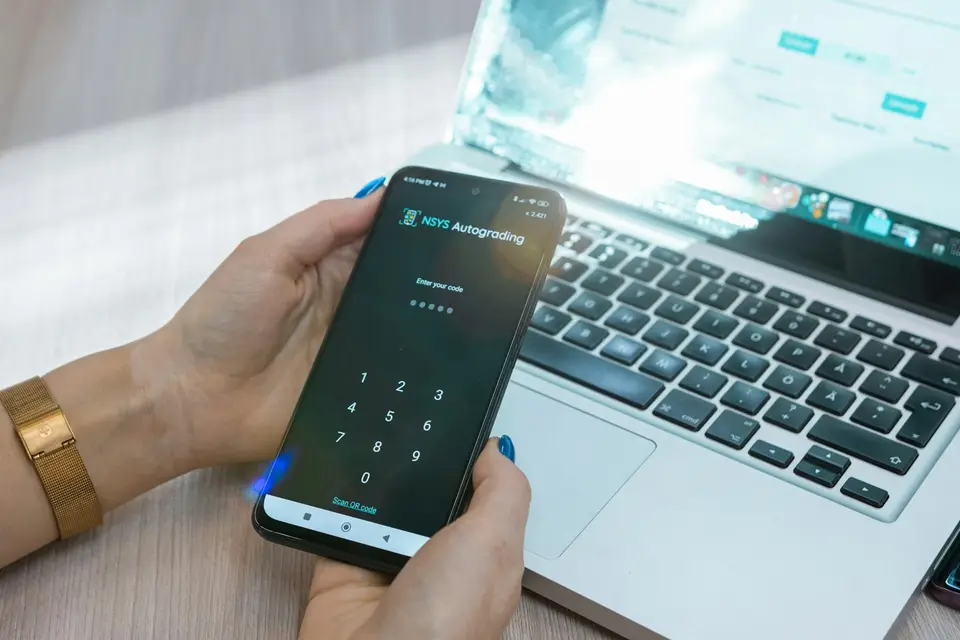
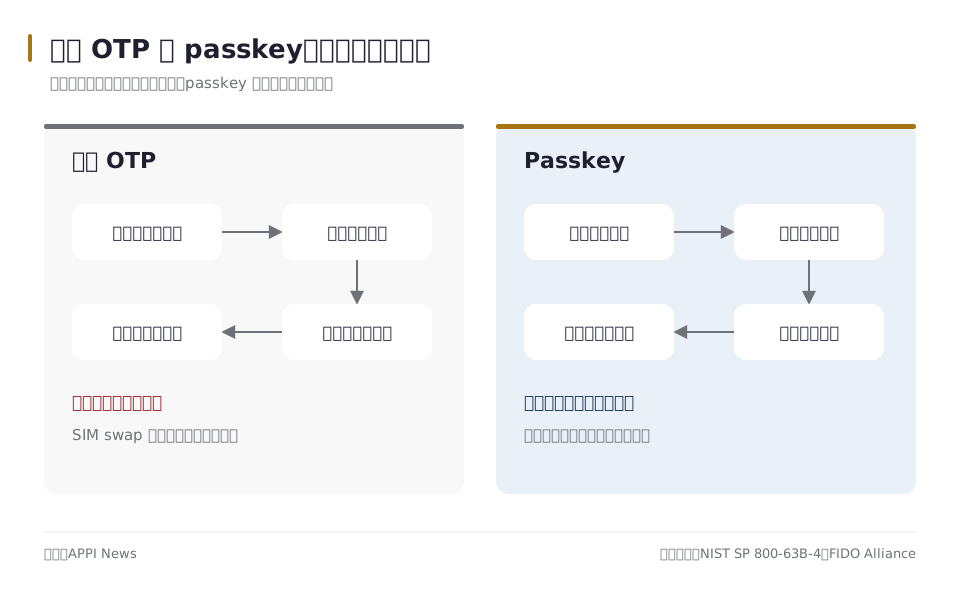
An SMS verification code travels through a telephone network and then has to be entered into the service. A fraudulent page can collect that code and relay it to the real service before it expires, while control of the telephone number can change through a subscriber identity module (SIM) replacement or number-porting attack.
NIST tells verifiers using public telephone networks to consider device swaps, SIM changes, number porting and other abnormal behavior before sending an authentication secret. The restricted label is not a ban: the US guidance allows the method where an organization accepts the risk, while requiring an unrestricted alternative for subscribers.
A passkey uses a key pair, not a face scan
Apple says a passkey registration creates a unique public-private key pair for an account at a website or app. The service stores the public key, while the private key remains unavailable to the service and is used by the device to approve a fresh sign-in challenge.
A fingerprint, face scan, personal identification number (PIN) or device pattern authorizes use of the credential; it is not the credential sent to the website. FIDO says the same device-unlock process can activate both synced and device-bound passkeys, while the service-specific key pair provides the phishing resistance.

Passkeys remove one attack path, not every account risk
A phishing page can ask a victim to type an SMS code, but it cannot obtain a valid signature for another service from a passkey tied to the legitimate service. Moving a telephone number to another SIM also does not copy the private key held by a device or credential manager.
The device and the remaining sign-in routes still matter. Google says adding a passkey does not change or remove existing authentication and recovery factors, and warns that anyone who can unlock a device may be able to use a Google Account passkey stored on it.
Passwords, text messages and support-desk recovery should be reviewed with the passkey because a service may leave them active on the same account. Replacing the primary sign-in method does not automatically harden those fallback routes.
Start with one account and record where the passkey is saved
A practical first setup uses a personally controlled phone or computer with a screen lock. The account's security or sign-in settings should identify whether the service offers a passkey and which device or credential manager will store it.
Microsoft's current setup guide distinguishes four possible save locations: a synced password manager, a phone or tablet, a physical security key, or the local Windows device through Windows Hello. The selected location determines whether the credential can appear automatically on another device or remains tied to its original hardware.
Services can use different menu labels and may limit available storage choices. A passkey should not be created on a shared or public device unless the flow clearly saves it back to a credential manager under the account holder's control.
Synced and device-bound passkeys move differently
Apple says passkeys stored in iCloud Keychain sync among a user's Apple devices and can be recovered through its protected keychain process. Apple also requires two-factor authentication for an Apple Account using iCloud Keychain, so that account's recovery controls remain part of the security model.
Microsoft's guide separates passkeys saved to a synced credential manager from those stored locally with Windows Hello or on a physical security key. A locally stored credential does not follow a user merely because the same online account is opened on a replacement computer.
FIDO uses the terms synced passkey and device-bound passkey for this distinction. A device-bound passkey needs another registered credential or the service's account-recovery process if its only device is lost.
A nearby phone can authorize a session without moving the passkey
Apple documents a nearby-device flow in which an iPhone scans a quick response (QR) code and uses the passkey in iCloud Keychain to complete sign-in on the other device. Google's computer sign-in instructions also use a QR code, Bluetooth and the phone's local unlock method.
These flows use the phone's existing credential for that session; creating a new passkey on the other device is a separate action. Before an old phone is erased or traded in, the account holder should confirm whether the passkey is synced, register another passkey where the service permits it, and retain a tested recovery route.
Three checks reduce the chance of lockout
Confirm present access. The account holder should verify the account's current password, second factor and recovery contacts before changing the preferred sign-in method. The old route should remain available until a passkey sign-in has succeeded on the intended device.
Identify the storage provider. The passkey entry should reveal whether it belongs to a synced credential manager, one device or a physical security key. If the service permits multiple credentials, a second personally controlled device or security key can provide another route.
Plan for loss. The service's official recovery steps should be checked while the account remains accessible. Google instructs account holders who lose a device to sign in from another accessible device and remove the lost device's passkey.
Common questions
Will SMS authentication disappear everywhere?
APPI News could not verify a worldwide retirement date from primary sources at the time of writing. NIST's restricted classification applies to its US government digital identity guidance and is not a global shutdown order.
Does a passkey always require facial recognition?
No. Depending on the device and credential provider, a fingerprint, face scan, PIN, pattern or physical security key can authorize the sign-in.
What matters most before replacing a phone?
The account holder needs to know whether each passkey is synced or device-bound and whether another sign-in route has been tested. A QR-code sign-in from the old phone does not by itself show that the credential has moved to the new one.
Sources and further reading
- NIST SP 800-63B-4: Digital Identity Guidelines(US National Institute of Standards and Technology)
- Authenticators: NIST SP 800-63B-4(US National Institute of Standards and Technology)
- FIDO Passkeys: Passwordless Authentication(FIDO Alliance)
- FIDO User Authentication Specifications(FIDO Alliance)
- About the security of passkeys(Apple Support)
- Use passkeys to sign in to websites and apps on iPhone(Apple Support)
- Sign in with a passkey instead of a password(Google Account Help)
- Create and save a passkey(Microsoft Support)